Skip to content
Reach-book.com

Security & sending controls

Your team sends.
You set the limits.

Give your team the tools to run outreach with campaign approvals, mailbox permissions, sending limits, and protected account access.

See security controls
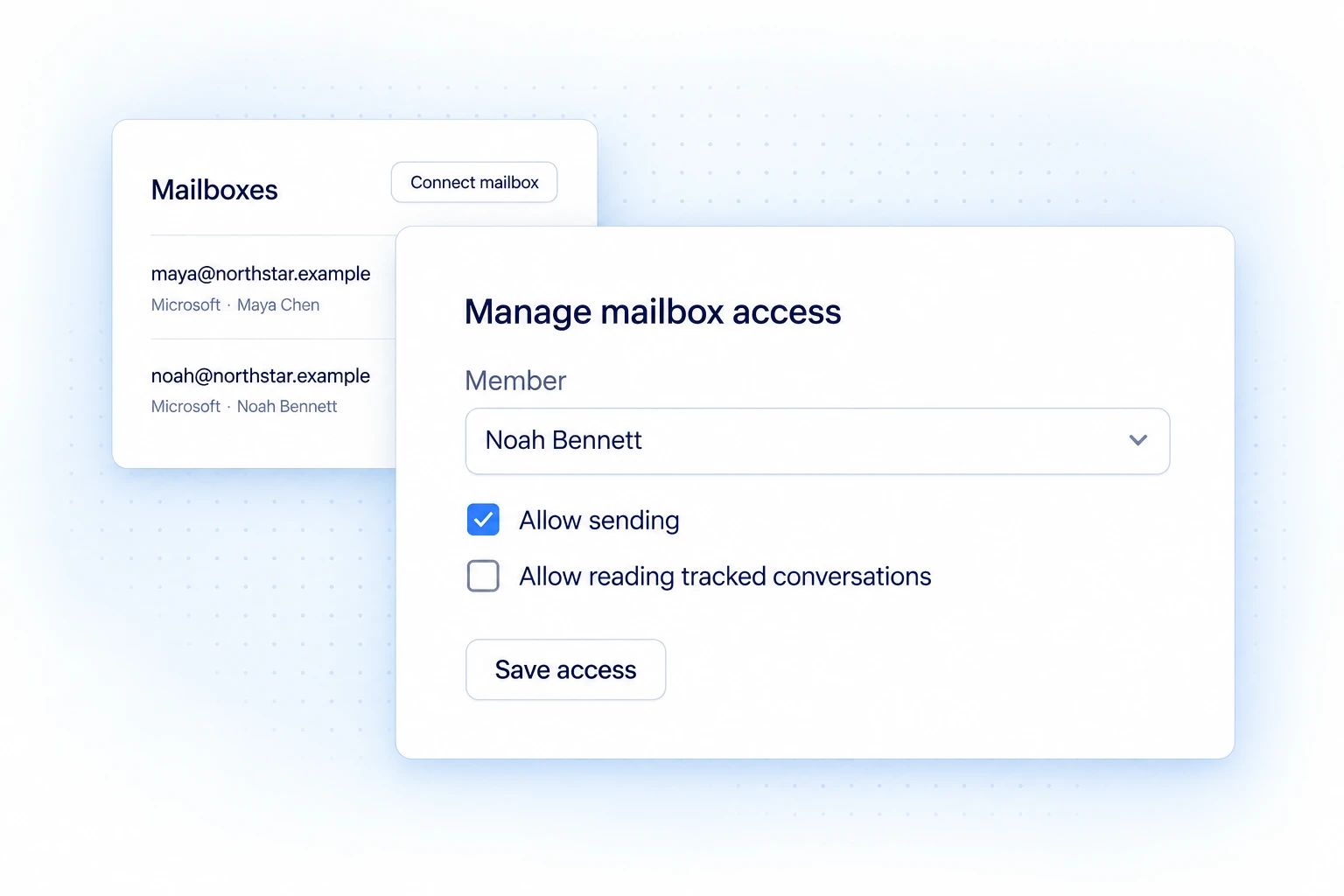
Reach-book.com mailbox access settings showing separate sending and conversation-reading permissions for Noah Bennett

Mailbox permissions

Control who can send
from each mailbox.

Set sending and reading permissions separately for each member and mailbox.

Explore access controls

Sending controls

Catch mistakes before launch.

Check recipients and messages before launch, cap sending volume, and honor unsubscribe requests.

Approve what your team sends

Catch the wrong recipient or an off-brand message before it goes out. Edit individual drafts and review campaign emails, recipients, and senders before launch.

  • Individual draft review and approval
  • Campaign preview before launch
  • Approved message and sender snapshots

Set limits for every sender

Control daily volume, sending hours, and the time between messages. Pause mailboxes that need attention before more outreach goes out.

  • Per-sender limits and campaign schedules
  • Sending pauses and health checks
  • Uncertain delivery pauses for review

Keep opt-outs out of future campaigns

Check email status before outreach. Suppress people and domains that should not be contacted, and honor recipient opt-outs across workspace outreach.

  • Email verification status and warnings
  • Do-not-contact lists
  • Recipient unsubscribe controls

Access & protection

Protect access as your team grows.

Control mailbox permissions, secure connected accounts, and review the history of team actions.

Choose who can read and send

Give each teammate the access their role requires. Grant mailbox read and send permissions separately, so assigning a conversation does not grant access to the mailbox.

  • Workspace-scoped records and permissions
  • Separate mailbox read and send grants
  • Member invitations and access management

Protect account access and credentials

Protect sign-ins with passkeys or two-factor authentication. Integration credentials are encrypted, and stored secrets are not shown back to team members.

  • Two-factor authentication and passkeys
  • Encrypted connection credentials
  • Scoped, expiring workspace API tokens

See who changed what

Trace prospect updates, draft approvals, and administrative changes when you need to understand what happened.

  • Team activity and event history
  • Audited administrative changes
  • Webhook delivery history and retries

Check mailbox health.
Act before sending.

Use email verification and DNS checks to flag risky addresses and mailbox setup issues before launching a campaign. These checks help you decide when to pause or fix a mailbox; they do not guarantee inbox placement.

Before you decide

Can a teammate send from my mailbox?

Only if you grant it. Mailbox read and send permissions are set separately for each member, so assigning a conversation to someone does not give them access to the mailbox.