Cold email outreach software
Find leads. Send emails.
Track every reply.
Build targeted lists, draft personal emails with AI, and automate follow-ups. Manage the replies and track the sales opportunities they create.
Review your campaign before it sends from your mailbox.
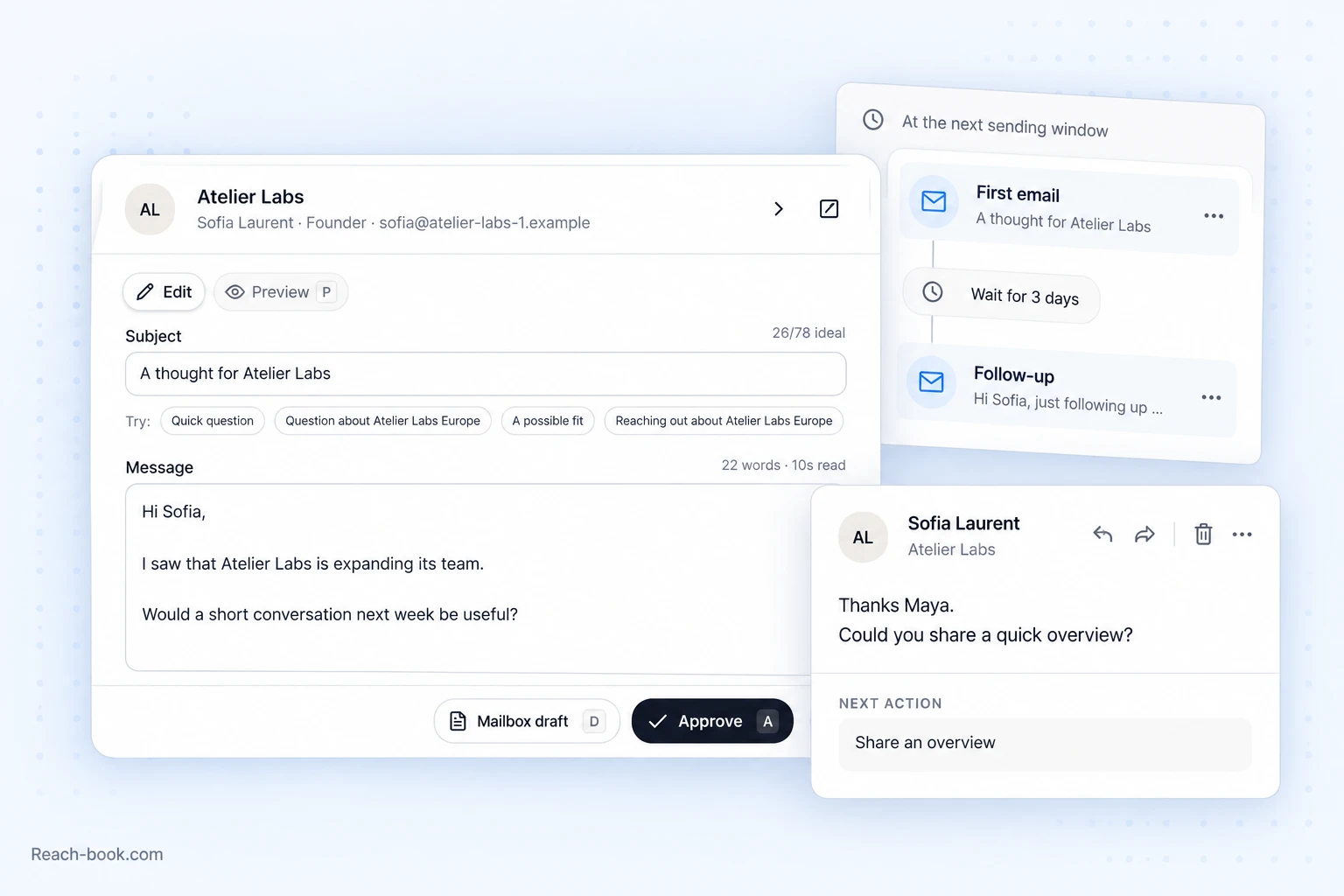
- Send from your own mailbox
- Gmail, Microsoft 365, and SMTP.
- Approve campaigns before launch
- Review drafts, recipients, and campaigns.
- Keep prospect history in one place
- Research, conversations, and next actions.
Find & write
Find the right contact. Write a relevant email.
Build a targeted prospect list, find verified emails, and use company research to explain why your offer is relevant.

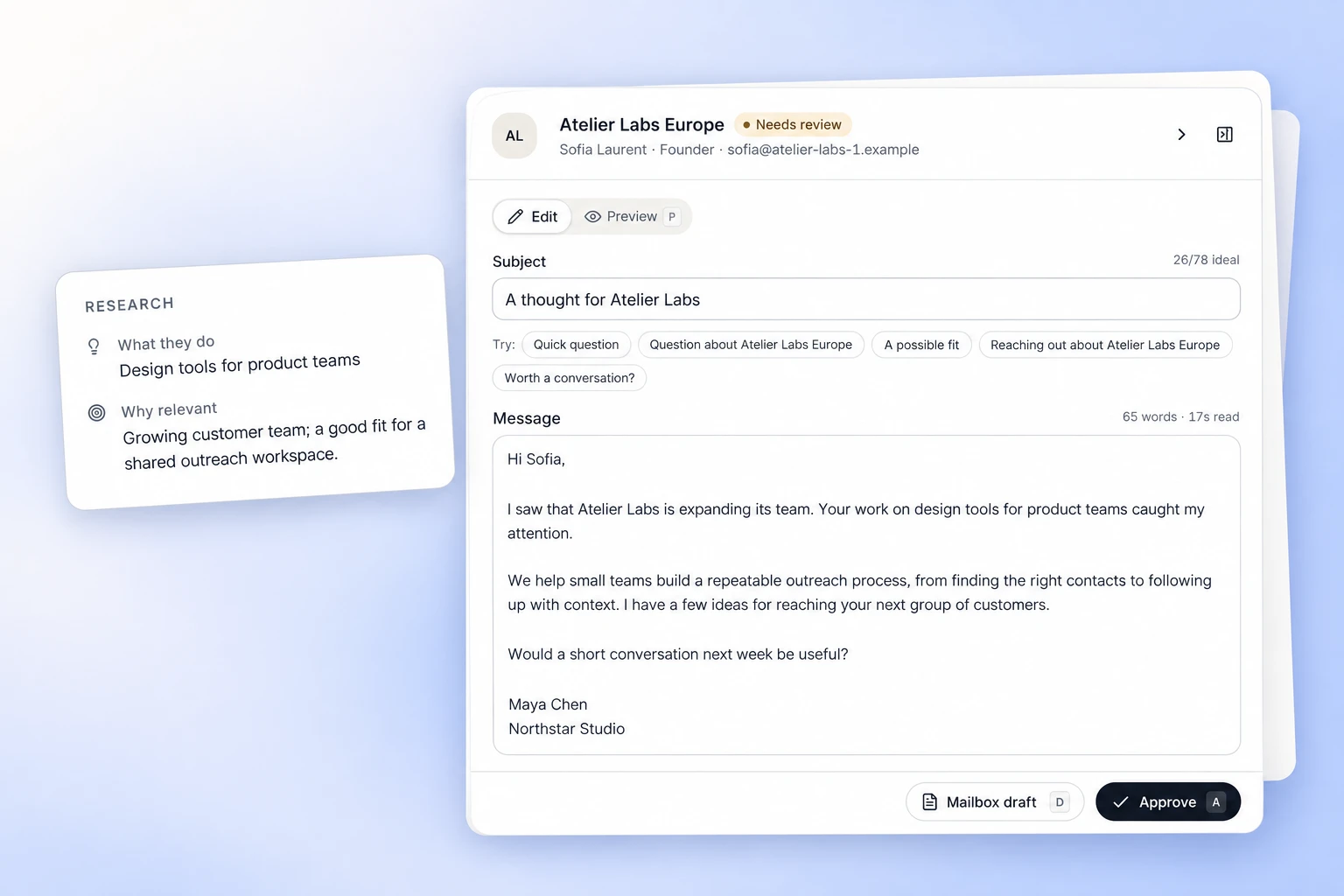
Find contacts who match your target customer.
Find decision-makers, check their email addresses, and bring company research into each prospect record.
- Search by company, role, or LinkedIn
- Verified email lookups and CSV imports
Let AI write the first draft.
Give AI your offer and prospect research to draft a personal email. Edit the message and approve it before sending.
- Your business context, templates, and signature
- A review queue with the research beside the draft
Follow up & reply
Automate follow-ups. Act on replies.
Let approved sequences handle scheduled follow-ups while your team focuses on the people who reply.
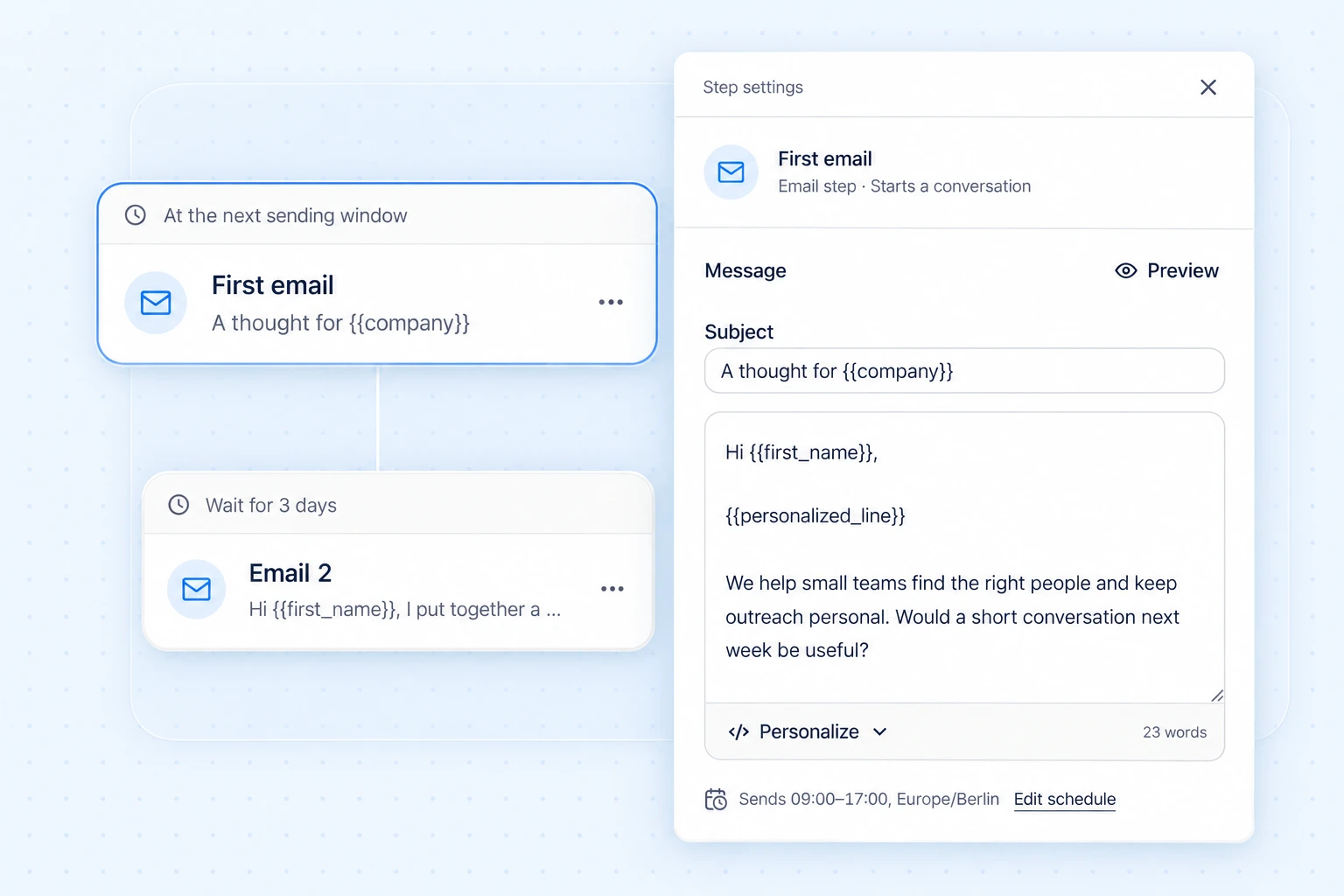
Build an email sequence that runs on your schedule.
Arrange email steps and delays, choose sending hours, and review recipients and messages before launching.
- Sending windows, daily limits, and sender pools
- Stop conditions for replies, bounces, and opt-outs
Give every reply an owner.
Read and respond from the original mailbox, add internal notes, and track the next action through to a meeting or outcome.
- A shared inbox with assignments and reminders
- Bookings, opportunities, and sales outcomes
Team management
See what your team sends.
Know what gets a reply.
Track team activity and sales results, assign access by role, and manage the mailboxes behind your campaigns.
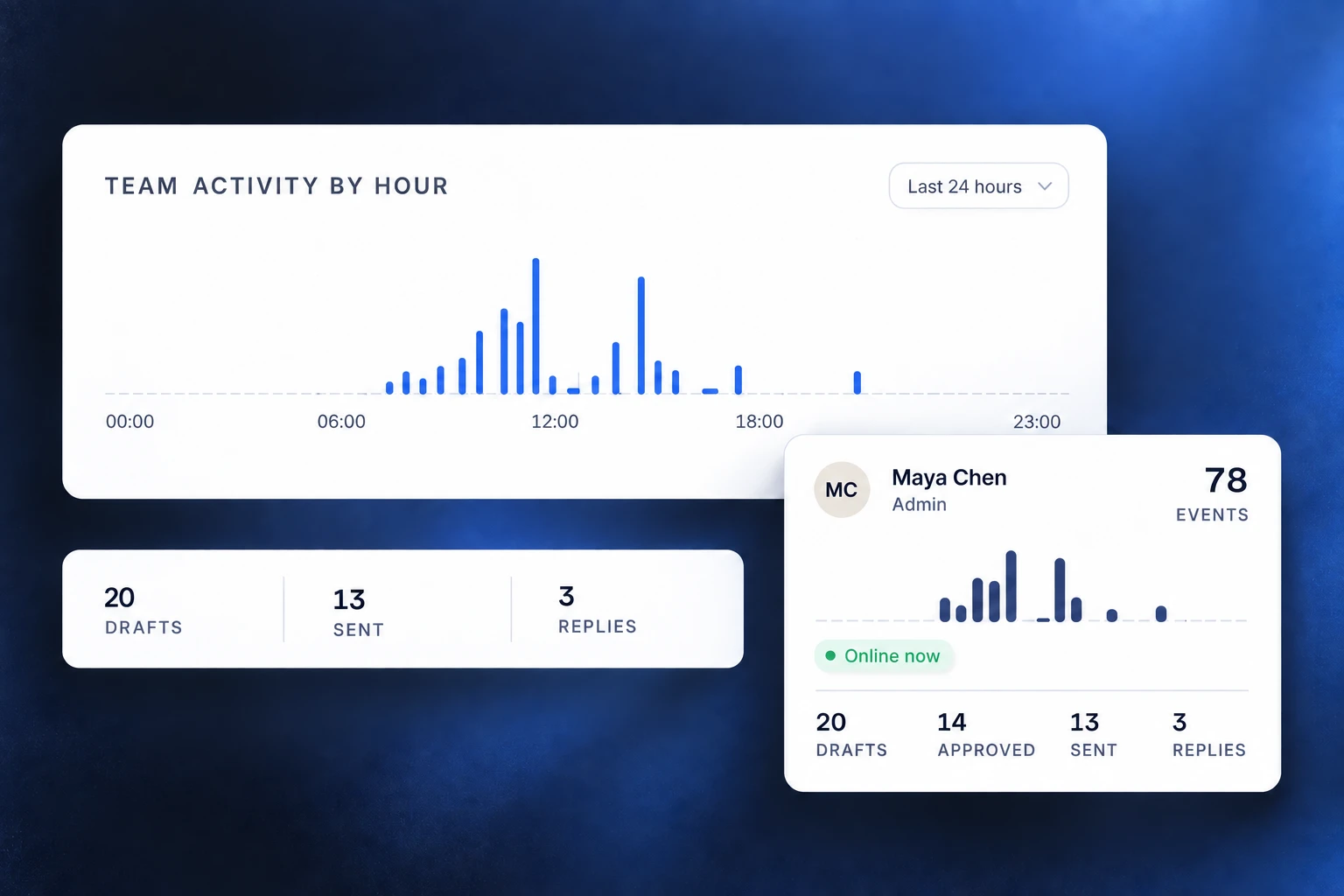
Track outreach from first email to closed deal.
See team outreach activity and track meetings, opportunities, and won or lost deals. Use the results to decide where to focus next.
- Workspace roles and invitations
- Draft, send, and reply activity
- Shared seats and usage allowances
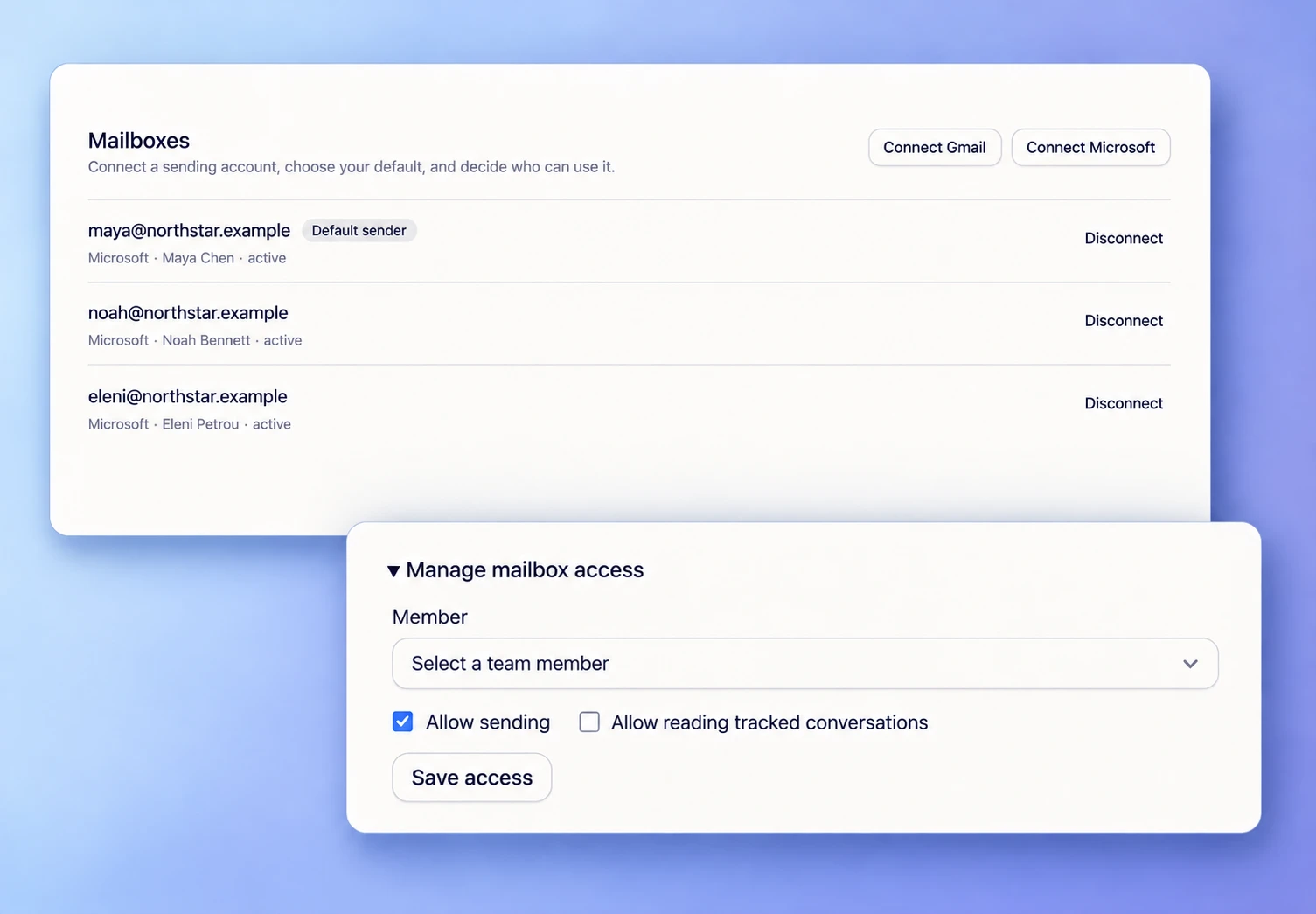
Manage mailbox health and team access.
Check mailbox health, set sending limits, and honor opt-outs across campaigns. Manage team access and connect outreach to your existing systems.
- Separate mailbox read and send permissions
- Suppression lists and sending safeguards
- API tokens, webhooks, and audit history
Guides for each step
Before you decide
What does Reach-book.com do?
It combines lead finding, AI email writing, email sequences, and a shared inbox in one workspace. You find decision-makers and verified emails, write and approve outreach, automate follow-ups from your own mailbox, and track replies, meetings, and deals.
How does the lead finder work?
Search companies and find contacts by company, name, role, or LinkedIn profile. Look up verified email addresses, see the verification status, and add company research to each prospect. Existing lists come in through CSV import.
How does the AI email writer use my research?
You give the assistant your offer, audience, and value proposition. It drafts opening lines and emails from the prospect research, using your templates and signature. You edit and approve each message before it is sent.
What stops an email sequence?
Replies, bounces, unsubscribes, and closed outcomes can stop further follow-ups. Sequences send only during the timezone, days, and hours you choose, within the limits set for each mailbox.
How does a team use the shared inbox?
Replies from Gmail and Microsoft 365 sync into one inbox. Assign a conversation to a teammate, add notes and reminders, and reply from the mailbox that sent the first email. Meetings, opportunity value, and won or lost outcomes sit next to the email history.
More answers in the help center.